
How to get player code for DVR playback URL?
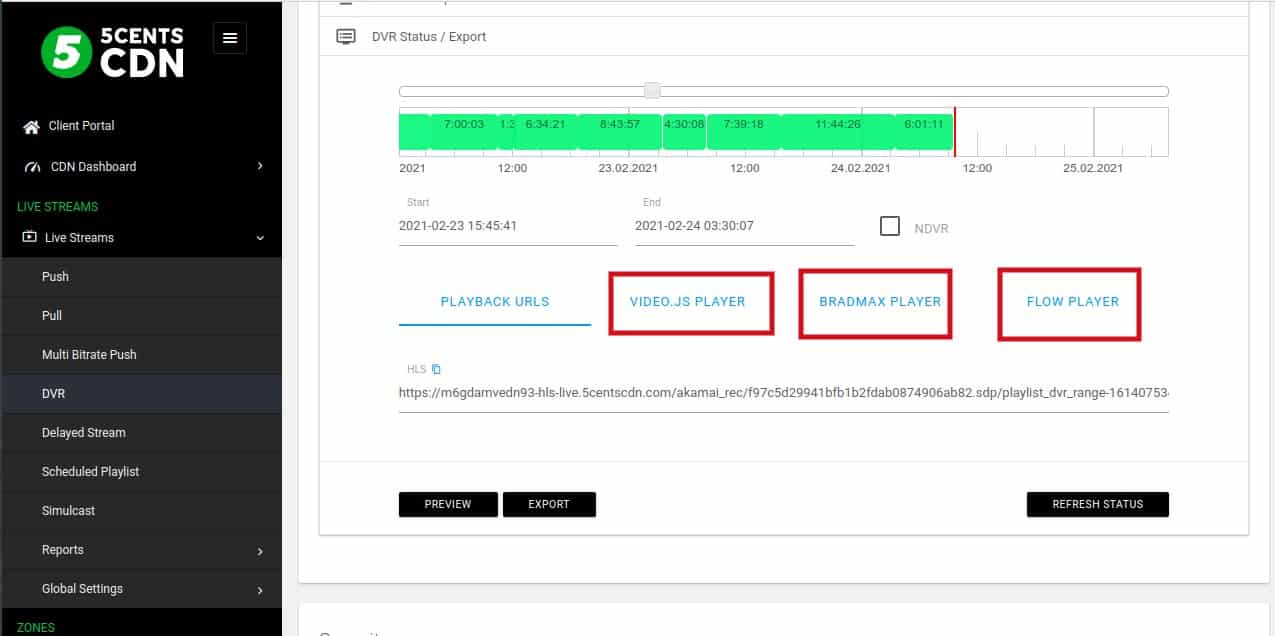
We have added player code for your DVR streams. You will get Flow player, VideoJS, and Bradmax player code from the console. To get the player code, please follow the steps.
- Login to 5centsCDN console.
- Go to DVR under live stream.
- Click the Manage button of your DVR stream.
- On the redirected page, Click DVR Status / Export option.
- Specify the starting and ending time of your recordings or you can double click the recording session(In graph) to get the URL.
- The HLS playback URL and player code option will display on the window. You can simply copy the appropriate player code and use it on your website.
Updated on: 27/02/2021
Thank you!